
Creating a cozy and productive home office space is essential for anyone working remotely or managing tasks from home. A well-designed workspace not only makes your workday more enjoyable but also helps maintain focus and efficiency. Whether you have a dedicated room or a small corner, these tips will help you build an environment that balances comfort with functionality.
Choose the Right Location
Quiet and Low-Traffic Areas
Selecting a spot away from household noise and distractions is key. The quieter your space, the easier it is to concentrate. If possible, pick a room with a door to close out interruptions.
Natural Light
Try to situate your desk near a window. Natural light boosts mood and energy levels, helping you stay alert. Avoid direct glare on your computer screen by positioning your desk perpendicular to the window.
Invest in Comfortable and Functional Furniture
Ergonomic Chair
Comfort is crucial since you’ll be sitting for long periods. An ergonomic chair supports your back and promotes good posture, reducing the risk of discomfort or injury.
Sturdy Desk with Enough Space
Choose a desk that fits your work style and equipment needs. It should be large enough for your computer, notebooks, and any other tools you use regularly.
Adjustable Furniture
If possible, consider a standing desk or an adjustable setup. Changing positions during the day can improve circulation and reduce fatigue.
Keep Your Space Organized
Declutter Regularly
A tidy workspace helps clear your mind. Remove unnecessary items and keep your desk surface clean to reduce distractions.
Use Storage Solutions
Shelves, drawers, and organizers can keep papers and supplies neatly stored but within reach. Label containers and files for easy access.
Digital Organization
Don’t forget your digital space—organize files and folders on your computer to streamline your workflow.
Personalize with Comfort and Style
Soft Textiles
Adding cushions or a cozy throw blanket can make your chair more inviting. Consider a soft rug to warm up the floor and add texture.
Plants and Greenery
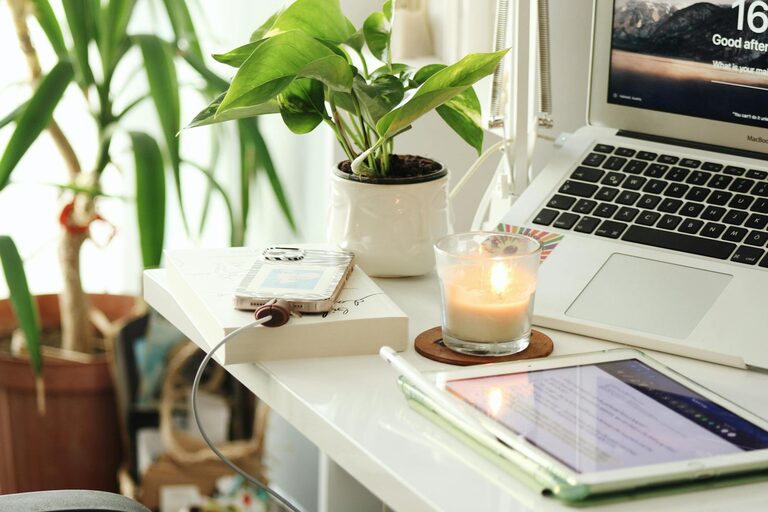
Indoor plants improve air quality and contribute to a calming atmosphere. Choose low-maintenance varieties like succulents or pothos.
Artwork and Decor
Hang art or photos that inspire you. Personal touches make the space feel welcoming and boost your mood.
Optimize Lighting
Layered Lighting
Combine general ambient lighting with task lighting. A desk lamp with adjustable brightness can reduce eye strain during focused work.
Warm Light Tones
Use warm or neutral light bulbs to create a cozy and inviting atmosphere rather than harsh, bright white lights.
Minimize Noise and Distractions
Soundproofing Tips
Use rugs, curtains, or upholstered furniture to absorb sound. Consider noise-cancelling headphones for extra focus.
Limit Interruptions
If possible, set boundaries with household members during work hours. Use signals like closing a door or wearing headphones to indicate you’re busy.
Incorporate Technology Thoughtfully
Reliable Equipment
Make sure your computer, internet connection, and other devices are up to date and reliable to avoid frustrating technical issues.
Cable Management
Use clips or sleeves to keep cords tidy and prevent tripping hazards. Organized cables also improve the overall look of your workspace.
Maintain Work-Life Balance
Separate Work Area
Try to keep your workspace separate from relaxation areas. This physical boundary helps your mind switch gears between work and personal time.
End-of-Day Routine
At the end of the workday, clear your desk and shut down your computer to signal the end of work and begin relaxation.
—
Designing a cozy and productive home office doesn’t require a big budget or major renovations. Small changes, thoughtful organization, and comfort-driven choices can transform any space into an efficient and pleasant work environment. Experiment with these tips to find what makes you feel best and most productive every day.