
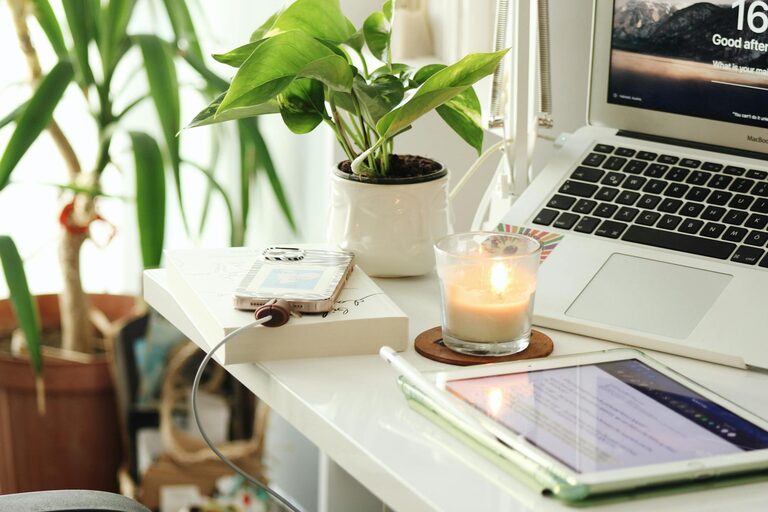
Creating a home office that feels cozy and enhances productivity is key for anyone working remotely or managing tasks at home. A well-designed workspace can improve focus, reduce stress, and make your workday more enjoyable. Whether you have a dedicated room or just a small corner, this guide will help you set up a comfortable and efficient home office.
Choose the Right Location
Finding the perfect spot for your home office is the first step. Ideally, it should be a quiet area with minimal distractions.
– Natural light: Position your desk near a window if possible. Natural light boosts mood and energy levels.
– Privacy: If you live with others, select a space where interruptions are less likely.
– Space: Make sure there’s enough room for your desk, chair, and any storage you need.
Invest in Comfortable Furniture
Comfort is essential to maintain productivity throughout the day.
– Ergonomic chair: Choose a chair that supports your back and encourages good posture.
– Appropriate desk: Your desk should be the right height to prevent strain. Adjustable desks or standing desks offer flexibility.
– Footrest: If your feet don’t comfortably reach the floor, a footrest can help improve posture.
Organize with Purpose
An organized workspace reduces distractions and saves time searching for supplies.
– Storage solutions: Use shelves, filing cabinets, or drawers to keep documents and tools tidy.
– Desk organizers: Keep pens, notebooks, and tech accessories within easy reach.
– Cable management: Use clips, ties, or trays to hide cords and keep your area neat.
Personalize Your Space
Adding personal touches makes your home office inviting and unique.
– Artwork and photos: Decorate the walls to inspire creativity and positive feelings.
– Plants: Indoor plants can improve air quality and add a refreshing touch.
– Colors: Choose calming colors like soft blues, greens, or neutral tones to create a relaxing environment.
Optimize Lighting
Good lighting prevents eye strain and helps maintain alertness.
– Task lighting: A desk lamp with adjustable brightness can focus light where you need it.
– Avoid glare: Position monitors and light sources to reduce screen glare.
– Even lighting: Combine natural light with soft overhead lighting for a balanced effect.
Minimize Distractions
Creating boundaries and managing noise helps you stay focused.
– Noise-canceling headphones: These are useful if your home environment is noisy.
– Do Not Disturb signals: Use a “busy” sign or close the door when deep work requires concentration.
– Schedule breaks: Set clear working hours and take breaks to maintain energy.
Incorporate Technology Wisely
Technology supports your work but shouldn’t overwhelm your space.
– Reliable internet: A stable connection is crucial for remote work, video calls, and online research.
– Essential tools: Use productivity software that suits your tasks.
– Declutter tech: Limit devices to what you actually need to reduce clutter.
Maintain a Healthy Routine
Your environment works best when paired with good habits.
– Regular breaks: Stand up, stretch, and rest your eyes regularly.
– Ergonomic practices: Position your monitor at eye level and keep wrists straight while typing.
– Hydration and snacks: Keep water and healthy snacks nearby to stay energized.
Final Thoughts
Designing a cozy and productive home office is about balancing comfort, organization, and personal style. By choosing the right location, investing in ergonomic furniture, organizing effectively, and creating a pleasant atmosphere, you’ll build a workspace that supports your best work and well-being. Start small, make gradual improvements, and tailor your space to fit your unique needs. Your ideal home office is well within reach!